

Practice Management Software for Clinics helps healthcare providers efficiently manage appointments, records, billing, and compliance. The best all-in-one platforms centralise these functions to save time and reduce administrative errors.
This article explores the essential features clinicians and authorised prescribers should prioritise. Key features include integrated scheduling, patient records, telehealth, billing, reporting, and security. These tools streamline operations and allow providers to focus on patient care.
The Australian Digital Health Agency highlights records, scheduling, prescribing, referrals, billing, and claims management as core functions. We also examine how modern platforms like OnePhenix deliver these capabilities.
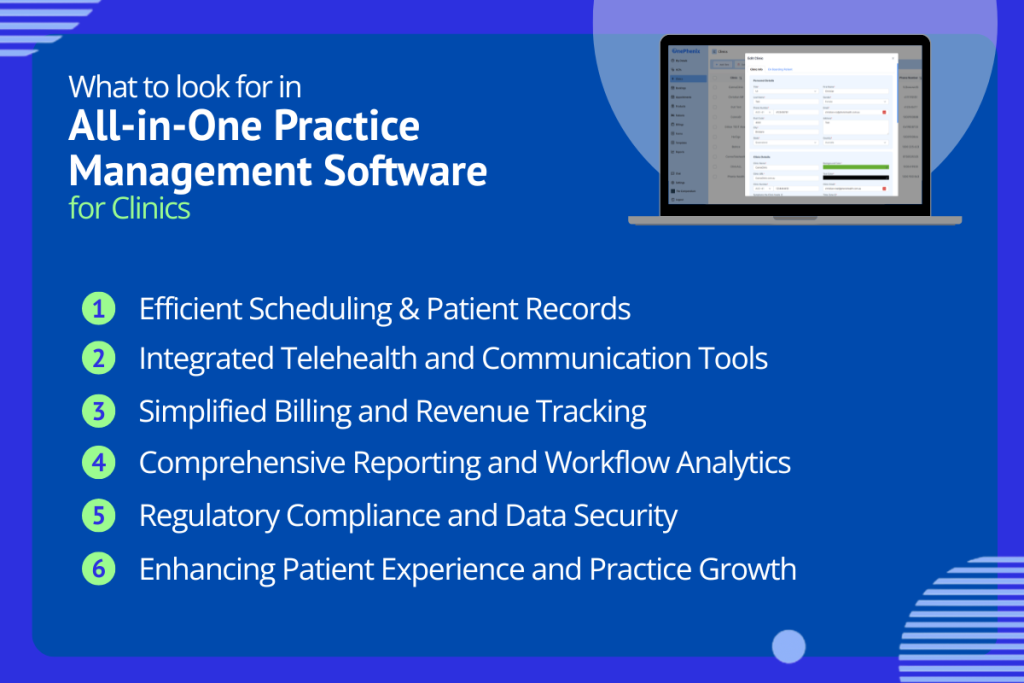
Efficient Scheduling and Patient Records
A core function of clinic software is streamlining appointment scheduling and managing patient information. Look for an integrated scheduling system that simplifies booking management and sends automated reminders. As a result, clinics can reduce no-shows and improve attendance rates.
The software should also centralise patient records in a secure database. This allows staff to access medical histories, notes and prescriptions quickly. Additionally, customisable intake forms and electronic documentation reduce paperwork and manual data entry.
For example, OnePhenix stores patient notes, referrals and prescriptions in one accessible platform. It also supports multi-provider calendars for better scheduling coordination. Furthermore, integration with healthcare identifiers improves data accuracy and workflow efficiency.
Support for My Health Record and national standards strengthens interoperability. By combining scheduling, reminders and digital records, clinics save time and eliminate data silos.
Key Features
- Appointment scheduling with automated SMS and email reminders, plus online booking.
- Centralised patient records management within a single EHR/EMR system.
- Custom intake forms and automated data capture for new patients.
- Integration with IHIs, healthcare provider identifiers and My Health Record.
Integrated Telehealth and Communication Tools
Telehealth and communication features have become essential for modern clinics. The right platform includes built-in video and phone consultations for seamless remote care. As a result, clinicians can connect with patients without relying on separate applications.
Look for software that supports online booking and patient portals. These features allow patients to schedule appointments and access documents independently. Additionally, secure messaging and email tools streamline communication throughout the care journey.
Staff can send referrals, e-prescriptions and certificates directly during telehealth consultations. Consequently, the system automatically stores communication records within each patient profile.
For example, OnePhenix enables clinicians to conduct telehealth sessions and upload documents in real time. This integration improves convenience for patients and reduces administrative complexity. Furthermore, centralised communication keeps staff organised and ensures information remains easy to access.
Key Features
- Telehealth software for video and phone consultations from any device.
- Online booking and patient portals for self-service appointment scheduling.
- Secure messaging and e-consults with automatic documentation.
- Automated reminders for appointments, telehealth links and required forms.
Simplified Billing and Revenue Tracking
Financial management features are essential in modern practice management software for clinics. A strong billing system processes Medicare, DVA and private health claims from one interface. As a result, staff avoid duplicate data entry and save valuable time.
Look for integrated billing and claims processing tools that simplify reimbursement tracking. These features allow staff to submit and monitor claims without leaving the platform. Additionally, secure payment options support credit cards, PayPal, BPAY and digital payment links.
Automated invoicing further reduces administrative workload and improves payment efficiency. The system should also generate payment reminders and patient statements automatically.
For example, OnePhenix provides detailed revenue tracking across practitioners, services and clinic locations. Consequently, clinics gain greater visibility into financial performance and cash flow.
Furthermore, built-in reporting tools support compliance and reduce billing errors. The software can help populate Medicare reports and apply the correct item codes. By centralising financial processes, clinics improve productivity and strengthen financial oversight.
Key Features
- Integrated Medicare, DVA and private billing with real-time claim submission and tracking.
- Secure payment gateways, including credit cards, PayPal and digital payment links.
- Automated invoicing and tracking of outstanding payments.
- Revenue reports and analytics by clinic, practitioner or service.
- Billing reminders and receipting within the platform.
Comprehensive Reporting and Workflow Analytics
Powerful reporting and workflow tools transform clinic data into actionable insights. Look for software that generates custom reports on appointments, patient volumes, revenue and wait times. These reports help clinics measure performance and identify improvement opportunities. Additionally, KPI tracking and clinic-wide analytics reveal trends and operational bottlenecks.
For example, OnePhenix provides automated analytics on consultation times, patient demographics and financial performance. Clinics can compare productivity across providers, services and locations. They can also monitor compliance metrics and reporting requirements more effectively.
Furthermore, reporting tools support workflow automation and reduce manual administration. The system can trigger reminders, assign follow-up tasks and flag incomplete records. Audit logs also help teams track activity and support continuous quality improvement. In essence, effective practice management software functions as a central performance dashboard.
As a result, clinics make informed decisions and respond to patient demand more efficiently. These capabilities support modern digital health standards and data-driven healthcare management.
Key Features
- Advanced reporting tools with charts and graphs for appointments, revenue and compliance.
- Custom dashboards tailored to clinic-specific performance metrics.
- Automated workflows for reminders, document renewals and follow-up tasks.
- Audit logs and activity tracking to support quality improvement and compliance.
Regulatory Compliance and Data Security
Clinics must comply with strict privacy, security and clinical regulations. Therefore, robust security features remain essential in practice management software for clinics. Choose a platform hosted in Australia to support data localisation requirements.
The system should also use end-to-end encryption to protect patient information. Additionally, look for software that aligns with the Australian Cyber Security Centre’s Essential Eight strategies.
Compliance with Australian privacy legislation is equally important. Effective platforms simplify compliance through built-in tools and automated workflows.
Key Features
- Automated regulatory reporting for required clinical and compliance documentation.
- Integrated drug libraries with current product information and prescribing guidance.
- eScript integration for secure prescription delivery and audit tracking.
- Secure electronic referral management using recognised national systems and protocols.
Furthermore, automated reporting reduces administrative effort and improves compliance accuracy. Integrated drug libraries help clinicians access current prescribing information quickly. eScript integration strengthens security while maintaining complete prescription records. Secure referral workflows also protect sensitive patient information during information sharing.
Importantly, TGA guidance generally excludes practice management software from medical device regulation. This applies when the software does not diagnose conditions or make treatment decisions. However, clinics must still maintain safe, compliant healthcare practices. As a result, software should embed privacy, security and compliance controls by design.
For example, OnePhenix uses Australian-hosted infrastructure, DDoS protection and encrypted communications. These features help clinics meet compliance obligations while reducing administrative burden.
Enhancing Patient Experience and Practice Growth
Finally, practice management software for clinics should help attract, engage and retain patients. Patient-focused features improve convenience and strengthen the overall care experience. For example, patient portals allow individuals to access records, prescriptions and test results securely.
They can also communicate with the clinic through a single platform. Additionally, online booking and automated reminders simplify appointment management. Telehealth capabilities further expand access to care and improve patient flexibility.
Some platforms also increase clinic visibility through patient-facing directories. For example, OnePhenix automatically lists authorised prescribers on CannaDr, helping patients find suitable healthcare providers.
Clinics can customise profiles, manage operating hours and offer flexible appointment availability. These capabilities support patient engagement while strengthening clinic marketing efforts. In many ways, they function as a healthcare CRM by enhancing communication and patient outreach.
Key Features
- Patient portals with secure access to records, prescriptions and educational resources.
- Online booking and automated reminders for convenient appointment scheduling.
- Directory listings that improve clinic visibility and patient discovery.
- Custom branding and professional communication templates.
- Mobile-friendly access for patients using smartphones and tablets.
By reducing administrative workload, clinics can dedicate more time to patient-centred care. Furthermore, these features help clinics grow by improving accessibility and patient retention.
Enhanced communication tools also strengthen long-term patient relationships. As healthcare continues to evolve, integrated digital tools support better care coordination and a more seamless patient experience.
Choosing the Best Practice Management Software for Clinics to Streamline Operations and Support Growth
In summary, the best practice management software for clinics combines scheduling, patient records, telehealth, billing, reporting and security in one platform. By centralising these functions, clinics streamline operations and deliver a better patient experience. Additionally, an all-in-one solution reduces administrative burden and improves workflow efficiency.
Platforms such as OnePhenix demonstrate this approach by bringing appointments, communications, billing and analytics together. At the same time, they support compliance with Australian healthcare standards and regulations. When evaluating options, choose software that aligns with your clinic’s workflow and future growth plans.
For example, patient-facing directories and engagement tools can help attract new patients. Ultimately, the right platform enables your team to spend less time on administration and more time delivering quality patient care.
Explore how an integrated platform (like OnePhenix) can meet these needs by booking a demo or trial – it may streamline your practice and even expand your patient reach.